![Murder Arena [FPS] Wiki logo](/images/site/logo.webp)
Start with what the pictures actually show
The two Murder Arena official screenshots show confrontations around a revolver and a knife in grid-walled corridors. Look at the space between the players and the walls beside them. Those details can help you recognize why a line of sight opens or closes during a match. They cannot tell you the weapons’ damage, a complete map layout, or the equipment each player receives at the start.
If you are trying to learn the game from its pictures, treat each image as one frozen encounter. Ask where the next unseen opening is and what a player would need to see before advancing. Then test that observation in the live arena. A still image can show a threat in a lane; it cannot show where another player moved one second later.
Image one: a green corridor and a narrow view
In the first image, the camera is behind a revolver. A knife-carrying avatar stands ahead in a green, grid-walled corridor. The target is easy to pick out. The important limit is at the edge of the visible corridor: the walls hide the space beyond them. If you moved forward without adjusting the camera, your target could remain visible while another approach stayed unseen.
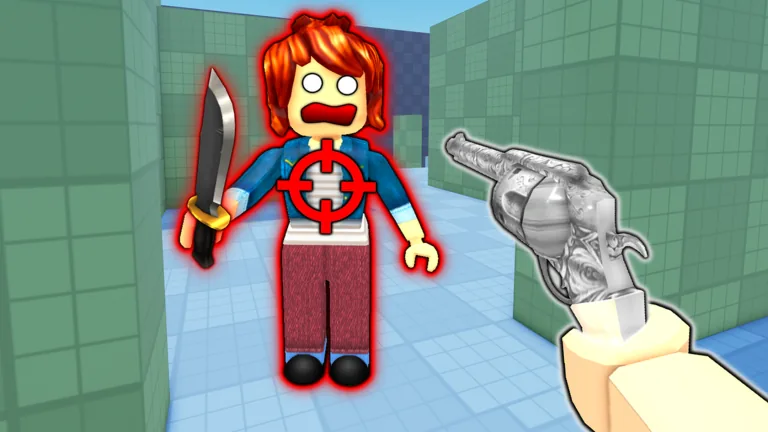
This is a useful picture for practicing camera placement. In a match, find a corner with a similar clear lane and hidden side. Move your view to the hidden edge before crossing the opening. Notice how much of the next space becomes visible only after you shift position. Do not read a precise weapon range from the amount of screen space between the players.
Image two: two weapons in colorful lanes
The second image shows a knife user facing a revolver user among blue and red grid-walled corridors. Neither player occupies an empty field. The walls divide possible routes and could interrupt sight between them. A player trying to approach with the knife would care about the exposed stretch. A player using the revolver would care about retaining a view of that stretch. Those are questions to ask in the live match, not a declaration that either weapon always wins.
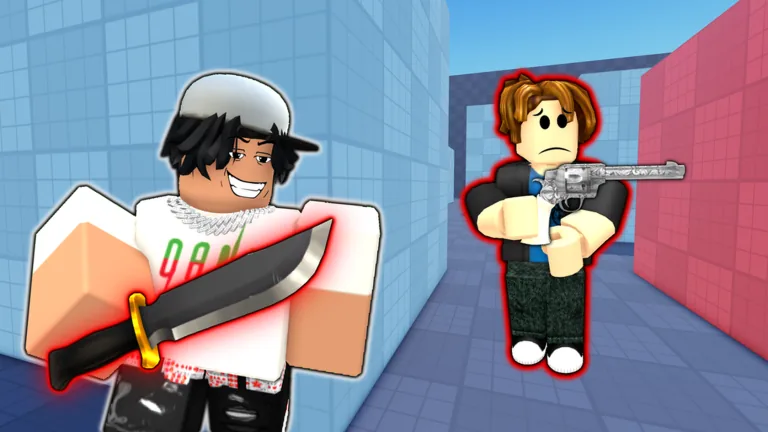
| Visible feature | Useful question while playing | What to verify in game |
|---|---|---|
| Grid walls and corridor turns | Which opening hides an approach? | The routes in the arena you joined. |
| Revolver in a player’s hand | Can I keep the opponent in view? | Current equipment and weapon behavior. |
| Knife-carrying avatar | How much open space separates us? | Current strike distance and controls. |
| Two opponents facing each other | What changes if one moves behind a wall? | The live position of both players. |
Do not build a whole rulebook from two frames
The pictures do not identify every map, a spawn point, movement speed, ammunition, reload time, or an ability. If you need one of those details for a plan, open the current game and check the relevant screen or perform a small test. The same restraint applies when the game page gains a new image. An artwork update gives you a new scene to inspect; it does not by itself confirm that a pictured feature is usable.
For the latest gallery, visit the official Roblox game page. Compare its images with what you see after joining the experience. The first-person view guide explains how to put your camera at the next opening; the revolver-versus-knife guide turns the pictured encounter into a choice about distance and cover.
Both images show how a wall can change what you see before a fight. In your next match, find a corridor that lets you test that lesson, and describe the view you gained by moving one step to a different angle.
FAQ
How many official Murder Arena screenshots are discussed here?
Two combat scenes: a first-person revolver view in a green corridor and a knife-versus-revolver scene in colorful corridors.
Do the screenshots reveal weapon damage?
No. Check the current game for weapon behavior rather than assigning numbers to an image.
Do they show the complete arena?
No. Each is a single scene. Inspect the live arena before planning a route.
Can I learn useful positioning from them?
Yes. Watch where the grid walls block sight and practice checking a similar opening in the game.
Does a new picture confirm an ability is playable?
No. Look for the feature in the current game and its official update information before treating it as available.